Violin Chart
What is a Violin Chart?
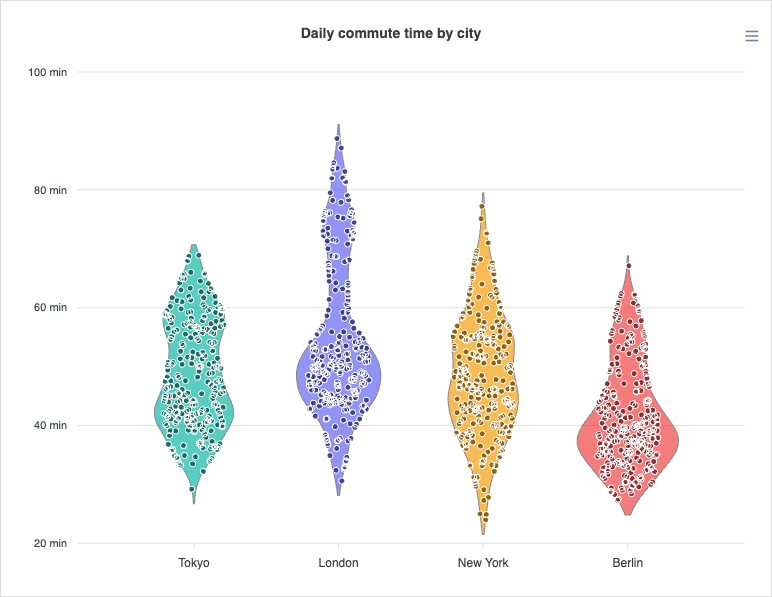
A violin chart shows the full distribution of a numeric variable across categories. Each category is drawn as a mirrored density curve, wide where values are common, narrow where they are rare, so the shape reads like a smoothed, symmetric histogram. Individual observations can be scattered on top as jitter dots to expose the raw sample behind the curve.
When to Use a Violin Chart?
Use a violin chart when the shape of a distribution matters, not just its summary statistics. Common cases:
- Comparing distributions across groups (latency per service, scores per cohort, measurements per batch).
- Revealing multi-modal data: two or more clusters that a box plot would hide behind a single median.
- Showing both the smoothed density and the underlying observations together.
When to avoid:
- When your audience is not familiar with density plots. A boxplot is universally understood; a violin requires explanation.
- When sample sizes are very small (fewer than ~30 points per group). The density estimate will be unreliable and the curve shape will be misleading.
- When you need to compare more than 6-8 groups. Violins on many categories become unreadably narrow.
Violin Chart vs BoxPlot
A box plot reduces each group to a five-number summary, so two very differently shaped distributions can produce an identical box. A violin keeps the whole density, making skew, gaps, and multiple peaks visible. The trade-off is input: a box plot takes the summary numbers directly, whereas a violin expects a density profile you compute beforehand.
Data Format
A violin point carries an object on its y value with a precomputed density profile and, optionally, the raw observations:
chart: {
  type: 'violin'
},
series: [
  {
    name: 'Measurement',
    data: [
      {
        x: 'Group A',
        y: {
          // [value, weight] pairs — the kernel-density profile
          density: [[42, 0.01], [46, 0.06], [50, 0.13], [54, 0.06], [58, 0.01]],
          // optional raw observations, drawn as jitter dots
          points: [48.2, 51.7, 49.9, 53.1, 50.4]
        }
      },
      {
        x: 'Group B',
        y: {
          density: [[55, 0.02], [60, 0.10], [62, 0.18], [64, 0.10], [69, 0.02]],
          points: [61.2, 63.4, 60.1, 62.8]
        }
      }
    ]
  }
]
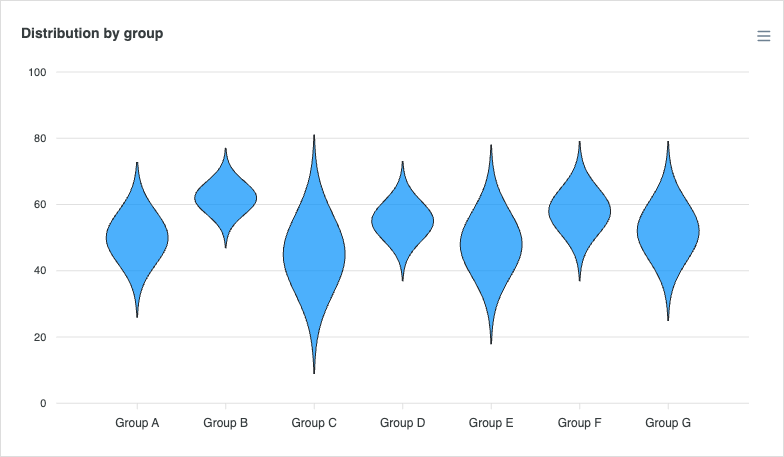
ApexCharts renders the curve from the density array you supply: it does not estimate the kernel density for you. The density is an array of [value, weight] pairs; the weight is any non-negative number (relative height), and the chart normalizes the widths for you. The optional points array holds the raw observations and is only used when the jitter overlay is enabled.
A complete basic example is on this page.
Overlaying Observations (Jitter)
Set plotOptions.violin.points.show to scatter the raw points on top of each curve. jitter controls how widely the dots spread inside the curve (a fraction of the half-width), and constrainToViolin keeps them within the density outline at each value.
plotOptions: {
  violin: {
    points: {
      show: true,
      size: 3,
      jitter: 0.6
    }
  }
}
Horizontal Violin
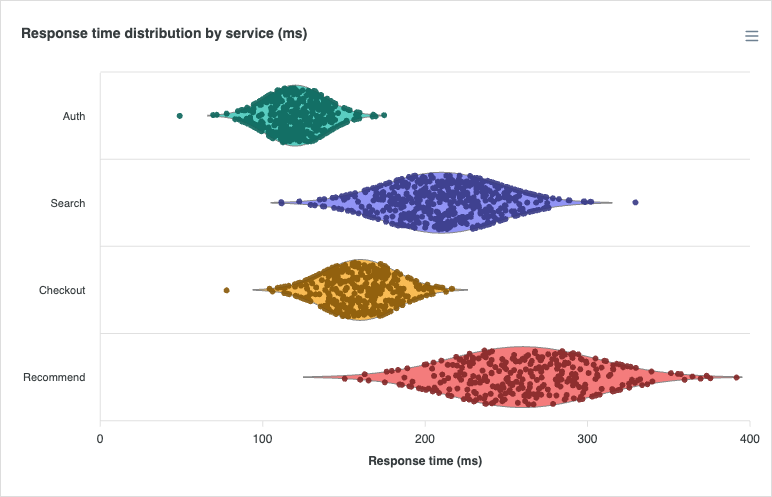
The violin can be laid out horizontally by flipping the underlying bar orientation, the same switch used by bar and box-plot charts. distributed: true gives each category its own colour.
plotOptions: {
  bar: {
    horizontal: true,
    distributed: true
  }
}
Normalization
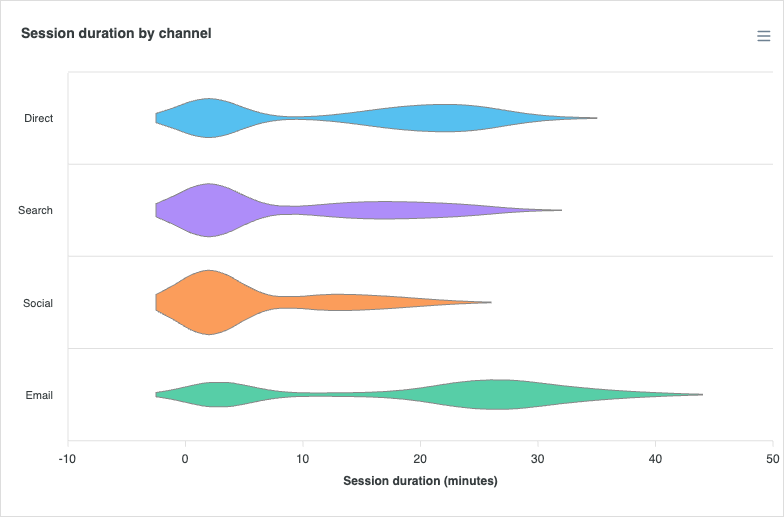
By default (normalize: 'individual') every violin is scaled to its own peak, so all of them fill the category slot regardless of sample size. Set normalize: 'group' to share one scale across the series, keeping widths proportional to density between categories, useful when the relative spread of each group carries meaning. The example below uses grouped normalization to keep the twin-humped (bimodal) shapes comparable.
plotOptions: {
  violin: {
    normalize: 'group'
  }
}
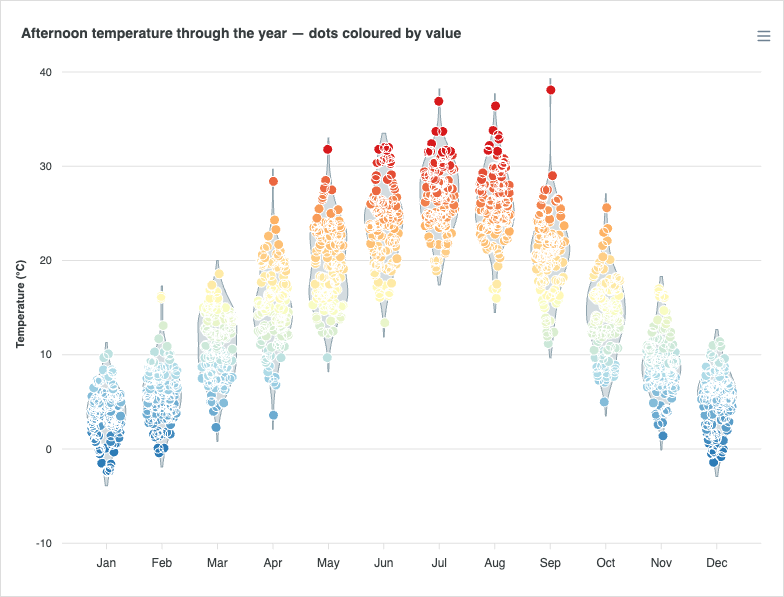
Colouring Observations by Value
The jitter dots can be coloured along a ramp by their value with points.colorScale, turning a single violin into a value-graded scatter that reinforces where each observation sits in the distribution.
plotOptions: {
  violin: {
    points: {
      show: true,
      colorScale: {
        colors: ['#2c7bb6', '#abd9e9', '#ffffbf', '#fdae61', '#d7191c'],
        min: 0,
        max: 32
      }
    }
  }
}
Tree-Shaking
Violin is a tree-shakeable chart type. When you import ApexCharts via its module entry, pull in only the violin renderer:
import ApexCharts from 'apexcharts/violin'
The full list of violin-specific settings is documented under plotOptions.violin.